
Microsoft 365 vs Office 365 Pricing: Detailed Plan Breakdown (2026)
When businesses map out their IT budgets, the most common hurdle they face is decoding Microsoft’s licensing models. If you are comparing Microsoft 365 vs Office 365 pricing, you aren’t just looking at monthly subscription fees you are evaluating the cost of security, productivity, and cloud infrastructure for your entire workforce.
While the fundamental differences are clear, Office 365 is a legacy productivity suite, while Microsoft 365 is a comprehensive cloud ecosystem the pricing tiers can still cause confusion.
In this detailed breakdown, we will compare exact pricing structures, highlight hidden costs, and help you determine which license delivers the highest ROI for your business in 2026.
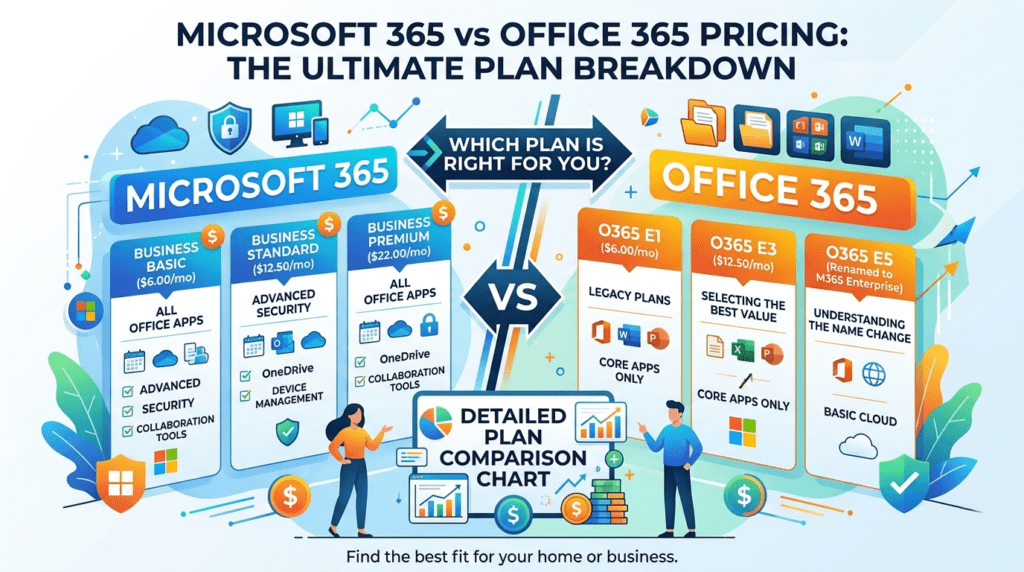
Pricing Differences
What is the price difference between Microsoft 365 and Office 365?
For small to mid-sized businesses (SMBs), Office 365 pricing no longer exists; it was rebranded to Microsoft 365, with plans ranging from $6.00 to $22.00 per user/month. For enterprises (300+ users), legacy Office 365 plans (E1, E3, E5) range from $10.00 to $38.00/month, while comprehensive Microsoft 365 plans range from $36.00 to $57.00/month due to added Windows licensing and advanced security features.
(Note: Pricing is approximate, based on annual commitments, and varies by region).
Microsoft 365 Business Plans Pricing (For SMBs)
If your company has fewer than 300 employees, you will be choosing from the Microsoft 365 Business tiers. Here is the detailed breakdown of these cloud productivity tools.
1. Microsoft 365 Business Basic
Estimated Price: $6.00 per user/month (billed annually)
What You Get: Web and mobile versions of Word, Excel, and PowerPoint. Includes business-class email (Exchange), 1TB of OneDrive storage, and standard Microsoft Teams functionality.
Who it’s for: Frontline workers, retail staff, or highly cost-conscious startups that only need basic business collaboration software and cloud storage.
2. Microsoft 365 Business Standard
Estimated Price: $12.50 per user/month (billed annually)
What You Get: Everything in Basic, plus fully installable desktop applications (Word, Excel, Access, Publisher) for up to 5 PCs/Macs per user. It also includes advanced webinar hosting in Teams.
Who it’s for: Traditional office workers who require full, offline functionality of Microsoft applications but rely on third-party IT tools for device security.
3. Microsoft 365 Business Premium (The High-ROI Choice)
Estimated Price: $22.00 per user/month (billed annually)
What You Get: Everything in Standard, plus enterprise-grade security. This includes Microsoft Intune (device management), Microsoft Defender for Business (endpoint protection), and Entra ID Premium P1 (advanced identity/MFA access).
Who it’s for: Any modern business that prioritizes cybersecurity, manages remote teams, and handles sensitive data.
Pro Tip: To understand why this extra $9.50/month is critical, read our guide on Microsoft 365 Security Features Explained.
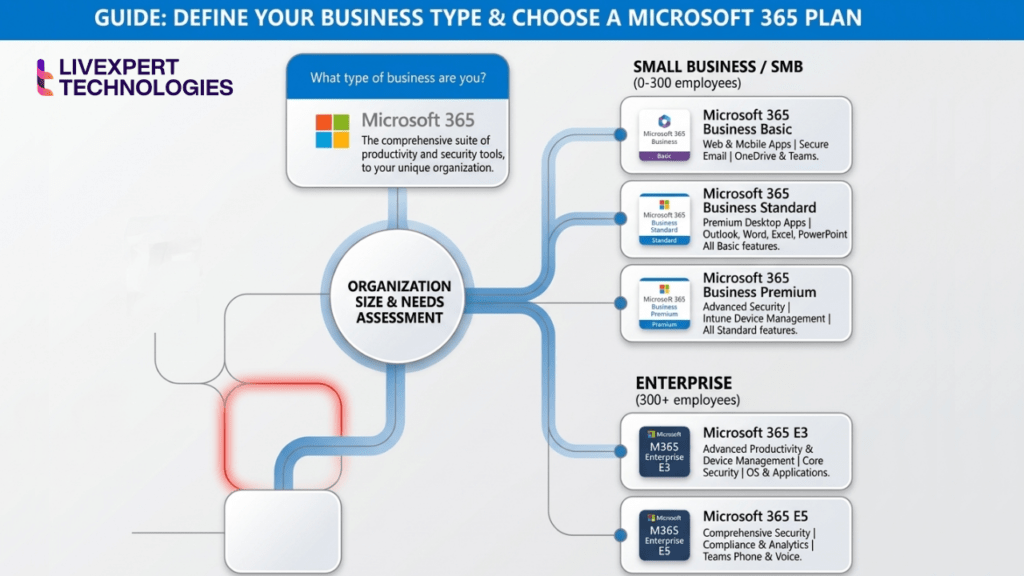
Office 365 vs Microsoft 365 Enterprise Pricing (300+ Users)
For large corporations, government entities, and highly regulated industries, the distinction between Microsoft 365 vs Office 365 still exists in the Enterprise (E) tiers.
Here is how the legacy Office suite stacks up against the modern enterprise cloud solutions bundle.
| Feature / Plan | Office 365 E3 | Microsoft 365 E3 | Office 365 E5 | Microsoft 365 E5 |
| Est. Monthly Price | ~$23.00 / user | ~$36.00 / user | ~$38.00 / user | ~$57.00 / user |
| Desktop Apps | Yes | Yes | Yes | Yes |
| Email & Teams | Yes | Yes | Yes (with Voice) | Yes (with Voice) |
| Windows 11 Enterprise | No | Yes | No | Yes |
| Microsoft Intune (MDM) | No | Yes | No | Yes |
| Advanced Defender | No | Yes (Plan 1) | Partial | Yes (Plan 2 / Max) |
| Power BI Pro | No | No | Yes | Yes |
Why upgrade to Microsoft 365 Enterprise?
While Office 365 E3/E5 saves you money upfront, it leaves massive gaps in your IT infrastructure. If you buy Office 365 E3, you still have to purchase separate Windows OS licenses for your fleet and third-party security software (like CrowdStrike or SentinelOne). Microsoft 365 Enterprise consolidates these costs into one predictable bill.
The Hidden Costs of Choosing the Wrong Plan
When comparing Microsoft 365 vs Office 365 pricing, the biggest mistake IT procurement teams make is only looking at the subscription fee. You must factor in the “Hidden Costs of Not Upgrading.”
Vendor Sprawl: If you buy a cheaper plan, you will likely spend more money subscribing to external services for Mobile Device Management (MDM), email encryption, and antivirus software.
Compliance Penalties: If you handle healthcare or financial data, cheaper plans lack the Data Loss Prevention (DLP) and eDiscovery tools necessary to pass regulatory audits.
Migration Costs: Starting on a disjointed legacy system means you will eventually have to pay for an Office 365 to Microsoft 365 Migration Checklist execution.
Additionally, in 2026, AI is a massive consideration. Microsoft Copilot (the AI assistant) requires specific baseline licenses to operate. If your foundation is wrong, you cannot leverage AI productivity tools later.
FAQ
Microsoft 365 carries a higher price tag because it is a comprehensive bundle. While Office 365 only provides productivity apps and email, Microsoft 365 includes advanced cybersecurity, mobile device management (Intune), and often Windows operating system licensing, replacing the need for multiple third-party IT vendors.
No. Microsoft officially rebranded all small and medium-sized business Office 365 subscriptions to “Microsoft 365” in 2020. The name Office 365 is now exclusively reserved for specific Enterprise-level plans (E1, E3, E5).
For most business and enterprise plans, Microsoft Copilot is treated as a premium add-on (typically around $30 per user/month). However, you must have an eligible base license—like Microsoft 365 Business Standard, Premium, or E3/E5—to add it.
No, Microsoft 365 is a cloud-based SaaS (Software as a Service) solution billed on a monthly or annual subscription basis. This ensures users always have the latest security updates and feature rollouts.
Next Steps: Which Plan is Right for You?
Choosing the right license is a delicate balance between budget constraints and operational requirements.
If you are a lean startup, Business Standard gets you moving.
If you have a remote team handling client data, Business Premium is non-negotiable.
If you manage 300+ endpoints with strict compliance needs, Microsoft 365 E5 is the ultimate enterprise cloud solution.
Need Help Optimizing Your Licensing Costs?
Over 60% of businesses are overpaying for Microsoft licenses they don’t use, or under-licensing and leaving their network vulnerable to cyberattacks.
As a certified partner, Livexpert doesn’t just sell licenses we architect solutions. Our experts will audit your current IT setup, help you select the exact tier you need, and handle the rollout seamlessly.
👉 Contact Livexpert for Microsoft 365 Implementation Services today to stop overpaying and start maximizing your cloud infrastructure.