
Microsoft 365 vs Office 365: What’s the Real Difference in 2026?
If you are a business owner, IT director, or procurement manager navigating the modern digital workplace, you have likely found yourself asking: What is the difference between Microsoft 365 and Office 365?
Are they the same thing? Did one replace the other? And more importantly, which one does your business actually need to scale securely in 2026?
The confusion is entirely justified. For years, “Office 365” was the undisputed king of business productivity. But as the way we work fundamentally changed shifting to remote environments, cloud-first infrastructure, and AI-driven workflows; Microsoft evolved its flagship product.
In this comprehensive guide, we are going to break down the Microsoft 365 vs Office 365 debate. We will explore the legacy of Office 365, unpack the modern Microsoft 365 ecosystem, compare business plans, and help you make the best strategic decision for your organization’s IT infrastructure.
Microsoft 365 vs Office 365
What is the difference between Microsoft 365 and Office 365?
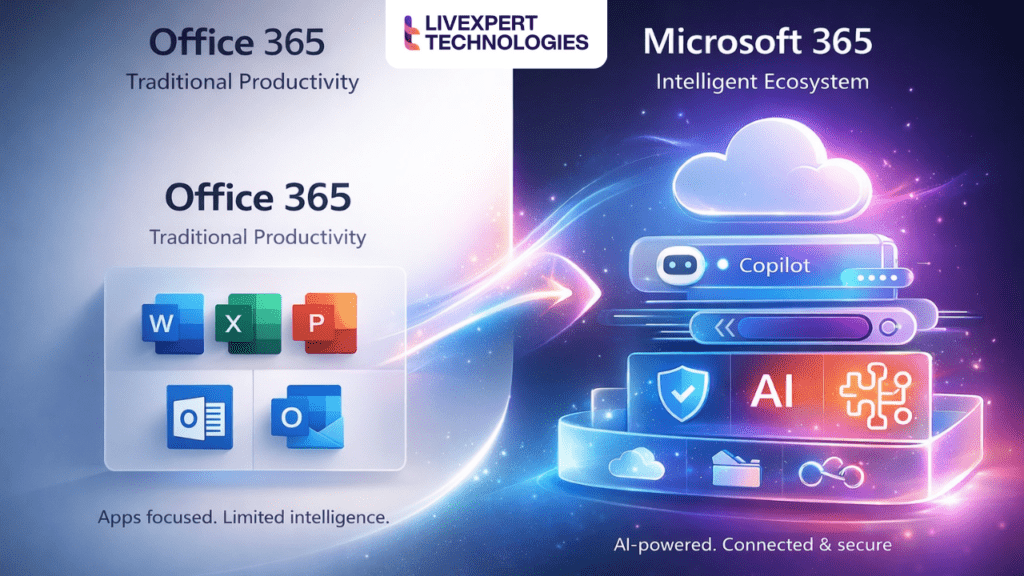
The main difference is that Office 365 was a legacy subscription focused primarily on core productivity apps like Word, Excel, and Outlook. Microsoft 365 is the upgraded, all-in-one cloud ecosystem that includes those same apps, but adds enterprise-grade security, mobile device management, Windows OS features, and advanced AI tools like Copilot. Simply put: Office 365 is a software suite; Microsoft 365 is a complete IT environment.
What is Office 365? (The Legacy Suite)
To understand where Microsoft is going, we first need to understand where it came from. What is Office 365?
Launched in 2011, Office 365 was a revolutionary step for Microsoft. Before its release, businesses had to buy perpetual licenses (like Office 2010) on physical disks, install them on individual hard drives, and pay full price again a few years later when the next version dropped.
Office 365 changed the game by introducing the SaaS (Software as a Service) subscription model. Instead of buying a static product, you paid a monthly or annual fee to access cloud-connected versions of Microsoft’s core applications.
The Core Components of Office 365 Included:
-
Familiar Desktop Apps: Word, Excel, PowerPoint, Access, and Publisher.
-
Communication Tools: Outlook and Exchange Online for email hosting.
-
Cloud Storage: OneDrive for Business and SharePoint Online.
-
Basic Collaboration: Skype for Business (which eventually evolved into Microsoft Teams).
So, is Office 365 discontinued?
For the vast majority of small and medium-sized businesses, yes. In 2020, Microsoft officially rebranded its SMB Office 365 plans to Microsoft 365. However, the name “Office 365” still technically exists in the enterprise space (such as Office 365 E1, E3, and E5 plans), though even these are heavily overshadowed by their broader Microsoft 365 counterparts.
Ultimately, Office 365 was built for an era where “getting work done” just meant typing documents and sending emails. But the modern workplace requires much more.
What is Microsoft 365? (The Modern Ecosystem)
What is Microsoft 365? If Office 365 was a powerful engine, Microsoft 365 is the entire luxury vehicle.
Introduced initially in 2017 as an enterprise offering and rolled out to all businesses in 2020, Microsoft 365 represents a fundamental shift in how businesses manage their IT infrastructure. Microsoft realized that companies didn’t just need word processors; they needed a unified system to manage their devices, secure their company data against modern cyber threats, and leverage AI to work faster.
What Does Microsoft 365 Include?
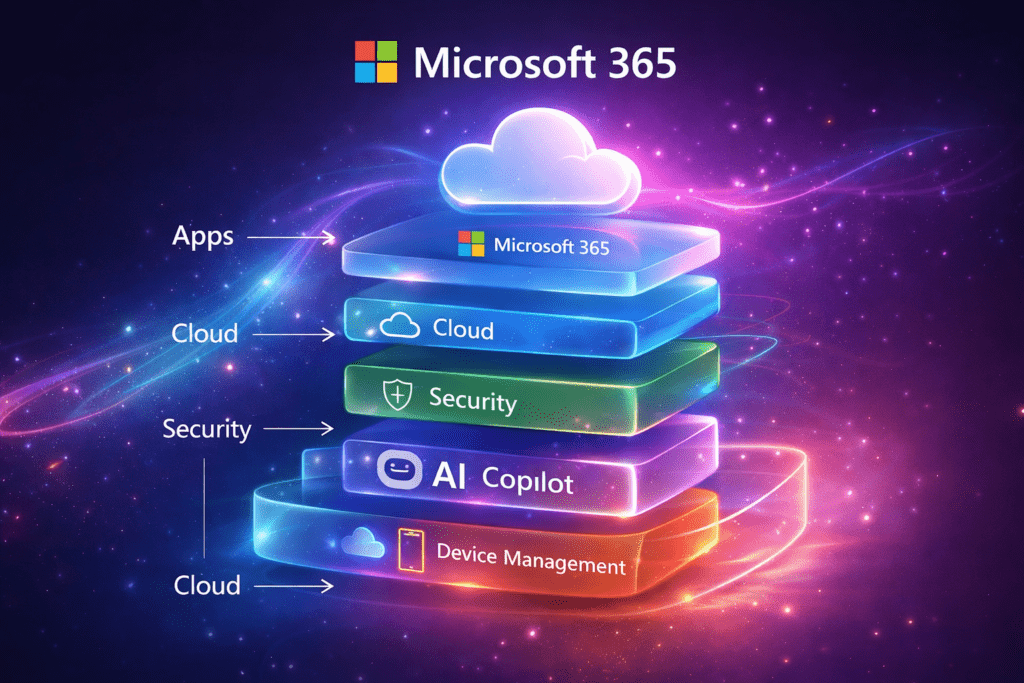
Microsoft 365 bundles everything you loved about Office 365 and wraps it in a powerful layer of cloud computing, security, and artificial intelligence.
-
The Ultimate Productivity Suite: Every single app from Office 365 (Word, Excel, PowerPoint, Teams, Outlook) is included, but they are deeply integrated with the cloud for real-time, multi-user co-authoring.
-
Advanced Security (Microsoft Defender & Purview): As cyber threats escalate in 2026, Microsoft 365 includes built-in ransomware protection, email phishing defense, and Data Loss Prevention (DLP) to ensure sensitive client data never leaves your company servers.
-
Enterprise Mobility + Security (EMS): A crucial addition. Using Microsoft Intune, IT admins can manage company laptops, iPhones, and Android devices remotely. If an employee loses their phone, the company can wipe corporate data instantly without touching the employee’s personal photos.
-
Windows OS Integration: Many Microsoft 365 plans include licensing and upgrades for Windows 11 Enterprise, ensuring your entire fleet of computers is on the same, secure operating system.
-
Microsoft Copilot (AI Integration): This is the game-changer for 2026. Microsoft 365 integrates AI directly into your workflow. Need a summary of a 40-email thread? Copilot does it in Outlook. Need a PowerPoint generated from a Word document? Copilot handles it in seconds.
By upgrading to Microsoft 365, businesses are no longer just buying software they are investing in a complete IT infrastructure solutions package.
Microsoft 365 vs Office 365 (Side-by-Side Comparison)
When comparing office 365 vs microsoft 365 features, a visual breakdown is the easiest way to see the massive leap in value. Here is how the two compare across critical business metrics in 2026:
| Feature Category | Office 365 (Legacy) | Microsoft 365 (Current) |
| Core Apps (Word, Excel, PowerPoint) | Yes | Yes (Cloud-Optimized) |
| Email & Calendar (Exchange, Outlook) | Yes | Yes |
| Cloud Storage (OneDrive, SharePoint) | Yes (1TB standard) | Yes (1TB+ with advanced sharing) |
| Collaboration (Microsoft Teams) | Basic | Advanced (Webinars, Telephony, Channels) |
| Identity Management | Basic Active Directory | Microsoft Entra ID (Zero-Trust Ready) |
| Device Management (Intune) | No | Yes (Manage PCs, Macs, iOS, Android) |
| Advanced Threat Protection | No (Basic Spam Filters) | Yes (Defender for Endpoint & Office 365) |
| Windows OS Licensing | No | Yes (On premium/enterprise tiers) |
| AI Integration (Copilot for Work) | No | Yes (Available as an add-on or integrated) |
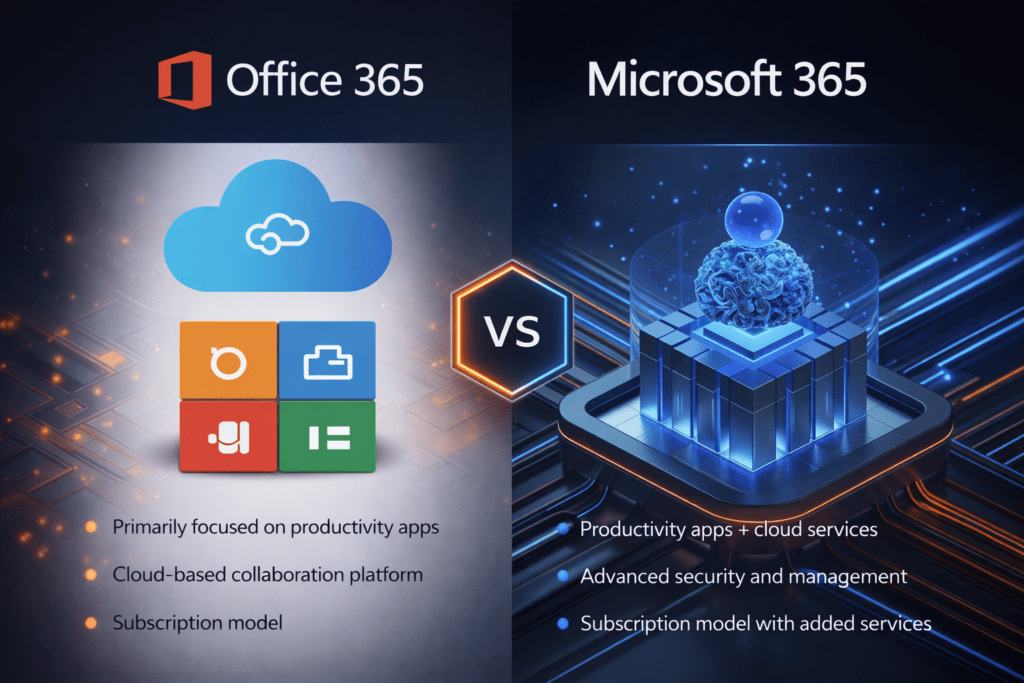
This table clearly illustrates what replaced Office 365. The modern M365 suite is designed to consolidate your IT stack. Instead of paying for an email provider, a separate antivirus tool, a standalone MDM (Mobile Device Management) platform, and a third-party AI tool, Microsoft 365 brings it all under one roof.
Why Did Microsoft Rename Office 365?
Search engines and AI assistants are frequently asked: “Why did Microsoft rename Office 365?” The answer is deeply tied to digital transformation.
-
To Reflect the True Value:The name “Office” implies a physical place or traditional desk work. Modern work happens on smartphones, in airports, at home, and in collaborative cloud spaces. The name “Microsoft 365” reflects an environment that powers your business 365 days a year, from anywhere in the world.
-
To Simplify Licensing: Historically, a company had to buy Office 365 for apps, Windows 10/11 licenses for their computers, and a separate security product. Microsoft combined these three pillars to make procurement easier for IT buyers.
-
The Shift to AI and Cloud: With the integration of the Microsoft Graph (the underlying data fabric) and AI features, the software outgrew its original name.
As a premier Microsoft 365 services provider, Livexpert helps businesses navigate this transition, ensuring that companies aren’t just paying for the new name, but actually utilizing the massive feature upgrades that come with it.
Microsoft 365 vs Office 2021 (Subscription vs. Perpetual)
Before we dive into business pricing, we must address another common point of confusion: Microsoft 365 vs Office 2021 (or the upcoming Office 2024).
Some businesses dislike subscriptions and ask if they can just buy the software outright. You can, via Office 2021 (LTSC). However, there are massive drawbacks:
-
Static Features: Office 2021 will never get new features. The Excel you buy today is the exact same Excel you will have in 5 years. Microsoft 365 updates monthly with new tools.
-
No Cloud Storage: A perpetual license does not include 1TB of OneDrive or hosted Exchange email.
-
Zero AI: Microsoft’s cutting-edge AI, Copilot, is completely incompatible with standalone perpetual Office licenses.
-
No Security Ecosystem: You miss out entirely on the endpoint management and advanced threat protection required to run a safe business today.
For an individual offline user, Office 2021 might suffice. For a business, Microsoft 365 is the only logical path forward.
Microsoft 365 vs Office 365 Pricing (Business Plans Comparison)
Understanding microsoft 365 vs office 365 pricing is critical for budget-conscious IT leaders. Let’s look at the microsoft 365 business plans comparison (designed for companies with up to 300 employees).
(Note: Pricing is approximate and varies by region and annual/monthly commitments).
1. Microsoft 365 Business Basic
-
Best for: Frontline workers, part-time staff, or extremely lean startups.
-
What you get: Web and mobile versions of Word, Excel, and PowerPoint (no desktop apps). You get professional email (Exchange), 1TB of cloud storage, and Microsoft Teams.
-
The Catch: Without desktop apps, power users will feel severely limited.
2. Microsoft 365 Business Standard
-
Best for: Standard office workers and SMBs who need the full suite.
-
What you get: Everything in Basic, plus fully downloadable, offline desktop apps (Word, Excel, PowerPoint) for up to 5 devices per user. It also includes webinar hosting capabilities in Teams.
-
The Catch: It lacks the advanced cyber security and device management tools needed for modern remote work.
3. Microsoft 365 Business Premium (The Gold Standard)
-
Best for: Any modern business that takes security, compliance, and remote work seriously.
-
What you get: Everything in Standard, plus Microsoft Defender for Business (enterprise-grade endpoint protection), Microsoft Intune (device management), and Entra ID Premium P1 (conditional access and multi-factor authentication).
-
Why we recommend it: At Livexpert, we consider Business Premium the absolute baseline for modern companies. The cost of a data breach far outweighs the slightly higher monthly subscription fee.
4. Enterprise Plans (E3 & E5)
For companies over 300 employees (or highly regulated industries like finance and healthcare), Microsoft offers the Enterprise tier. Interestingly, this is where the office 365 vs microsoft 365 for business naming convention still exists. You can still buy “Office 365 E3”, but we highly recommend “Microsoft 365 E3” or “E5” because they include Windows OS licensing and the highest tier of compliance and security tools (like eDiscovery and Insider Risk Management).
Which One Should Your Business Choose?
Choosing the right license isn’t just about saving a few dollars per user; it is about aligning your technology with your business goals. Here is Livexpert’s decision-making guide:
Scenario A: You are a fast-moving Startup
-
Your Need: You need to look professional instantly, collaborate seamlessly with remote co-founders, and keep costs manageable.
-
The Verdict: Start with Microsoft 365 Business Standard. It gives you the desktop apps and email domains you need to pitch investors and manage finances without paying for enterprise compliance features you don’t yet need.
Scenario B: You are a mid-sized B2B Services Company (Law, Accounting, Agency)
-
Your Need: You handle sensitive client data. Your employees work from home on personal laptops, and you are terrified of a phishing attack compromising your network.
-
The Verdict: You absolutely need Microsoft 365 Business Premium. The conditional access policies mean you can block logins from foreign countries, enforce strict Multi-Factor Authentication (MFA), and use Intune to ensure no one accesses company data on an unencrypted laptop.
Scenario C: You are a 500+ Employee Enterprise
-
Your Need: Heavy regulatory compliance, advanced AI integration, automated threat hunting, and unified endpoint management across a global workforce.
-
The Verdict: Look to Microsoft 365 E5. It is the most comprehensive enterprise cloud services package on the market, featuring Microsoft’s most advanced security tools and telephony capabilities.
If you are unsure where your company fits, a Microsoft 365 consulting services provider like Livexpert can run a licensing audit to ensure you aren’t overpaying for licenses you don’t use, while securing the data you can’t afford to lose.
Microsoft 365 Benefits for Businesses
Why are millions of businesses migrating to this platform? The microsoft 365 benefits for companies extend far beyond simple word processing.
1. Seamless Remote Work & Real-Time Collaboration
Gone are the days of emailing “Project_Final_v3_ACTUAL_FINAL.docx” back and forth. With SharePoint and OneDrive acting as the backbone of Microsoft 365, multiple employees can edit the same document simultaneously. Microsoft Teams acts as the central hub, bringing chat, video conferencing, and file sharing into one pane of glass.
2. Zero-Trust Security Infrastructure
With cyberattacks targeting SMBs at record rates, Microsoft 365 is built on a “Zero-Trust” architecture. This means the system assumes every login attempt is hostile until proven otherwise. With features like Defender for Office 365, malicious links in emails are detonated in a safe sandbox environment before they ever reach your employee’s inbox.
3. Massive IT Cost Reduction
It sounds counterintuitive how does paying for a premium subscription save money? By consolidating vendors. If you pay for Zoom (video), Slack (chat), Google Drive (storage), a third-party antivirus, and an external email host, you are bleeding money. Microsoft 365 rolls all of these into a single, predictable monthly cost.
4. AI-Driven Productivity (The 2026 Advantage)
As an advanced Microsoft cloud solutions company, we are seeing businesses achieve 30-40% productivity boosts utilizing Microsoft Copilot within M365. Copilot acts as an everyday AI assistant. It can draft emails, analyze complex Excel datasets to find trends, and even attend Teams meetings on your behalf to take notes and assign action items.
5. Infinite Scalability
Whether you hire 5 people this month or acquire a company with 500 employees next year, scaling your IT infrastructure is as simple as adding licenses in the admin portal. No servers to buy, no massive capital expenditures.
Microsoft 365 vs Google Workspace: Which is Better?
No comparison of cloud productivity tools comparison is complete without addressing the other titan in the room: Google Workspace (formerly G Suite).
Microsoft 365 vs Google Workspace is a common debate for startups.
Google Workspace is excellent. It is highly intuitive, born in the cloud, and fantastic for real-time collaboration. Startups often lean toward Google because of its simplicity.
However, as companies scale, they almost always migrate from Google to Microsoft 365. Why?
-
Complex Document Formatting: Heavy finance, legal, and engineering teams rely on the deep, complex functionality of the desktop version of Excel and Word, which Google Sheets/Docs cannot replicate.
-
Advanced Security: Google’s security is good, but Microsoft’s Purview and Defender ecosystem is built for rigorous, enterprise-grade compliance (HIPAA, GDPR, SOC2).
-
Familiarity: The vast majority of the global workforce was trained on Microsoft products. Standardizing on M365 reduces employee onboarding friction.
If you are currently on Google and feeling the growing pains, Livexpert specializes in seamless, zero-downtime office 365 migration services.
FAQ
While related, they are not exactly the same. Office 365 was a suite of cloud-connected productivity applications (Word, Excel, Outlook). Microsoft 365 includes all of Office 365, but expands upon it by adding Windows operating system capabilities, enterprise security, device management, and AI tools.
Yes. In April 2020, Microsoft officially renamed all its small and medium-sized business (SMB) Office 365 plans to Microsoft 365 to better reflect the broadened scope of the features included in the subscriptions.
The old name for the primary business productivity suite was Office 365. However, Microsoft 365 was technically introduced alongside Office 365 as an enterprise bundle before completely absorbing the “Office 365” moniker for SMBs.
Absolutely. Microsoft 365 is vastly superior because it provides critical modern necessities that Office 365 lacked, specifically robust cybersecurity (Defender), mobile device management (Intune), and artificial intelligence integration (Copilot), all of which are essential in 2026.
Microsoft 365 is the definitive choice for businesses today. Relying purely on legacy Office 365 functionalities leaves a business exposed to cyber threats and severely limits their remote work capabilities. Microsoft 365 provides the comprehensive IT infrastructure required to operate securely.
Microsoft 365 includes premium desktop apps (Word, Excel, PowerPoint), communication platforms (Teams, Outlook, Exchange), 1TB+ cloud storage (OneDrive, SharePoint), advanced threat protection, identity management (Entra ID), mobile device management, and optional AI add-ons.
Transitioning Your Business in 2026
The Microsoft 365 vs Office 365 debate ultimately comes down to an evolution in how we work. Office 365 helped us transition to the cloud; Microsoft 365 gives us the tools, security, and AI to thrive there.
If your business is still viewing its IT spending simply as “buying software for typing,” you are falling behind. In 2026, Microsoft 365 is not just software it is your digital office building. It houses your data, secures your intellectual property, facilitates your meetings, and supercharges your employees’ output with AI.
Choosing the right platform is only half the battle. Implementing it correctly, securing the endpoints, migrating data without loss, and training your staff is where the real ROI is generated.
Ready to Transform Your Business?
You don’t have to navigate complex Microsoft licensing and cloud migrations alone. As a trusted Microsoft 365 implementation company, Livexpert has helped hundreds of businesses secure their data, lower IT costs, and empower their workforce.
Whether you need a complete migration from Google Workspace, an upgrade from legacy on-premise servers, or a security audit of your current Microsoft tenant, we are here to help.
👉 Contact Livexpert today for a Free Microsoft 365 Strategy Consultation and let our team of experts architect the perfect cloud environment for your business’s future.